What Site Health checks for security
Open Tools → Site Health → Status. WordPress 7.1 runs 28 tests; these are the ones that touch security, with the label each shows in the list:
| Core test | What it looks at |
|---|---|
| WordPress Version | Whether a core update is available |
| Plugin Versions / Theme Versions | Plugins and themes with updates waiting, plus inactive plugins and themes you should remove |
| PHP Version | Whether your PHP version is still supported |
| Secure communication / HTTPS status | Whether the server supports TLS and the site address uses HTTPS |
| Debugging enabled | Whether WP_DEBUG is on and errors may be shown or logged publicly |
| Background updates / Plugin and theme auto-updates | Whether automatic security updates can run |
| Open Registration with privileged default role | Whether anyone can register with a powerful role |
| Communication with WordPress.org / Loopback request / REST API availability | Whether updates and internal requests work at all |
The rest of the 28 cover performance and environment (page cache, object cache, autoloaded options, disk space, timezone, database version and similar).
What “critical issue” means
Each test reports good, recommended or critical. The badge count on the menu and the “Should be improved” circle only count critical issues and recommendations. A site can show Good and still have placeholder salts, a public debug.log and a web shell in uploads, because none of those are tested.
What Site Health never checks
- Core file integrity: whether core files were modified or extra files added to
wp-includes. - Files in uploads: PHP files, backups or database dumps in
wp-content, and whether PHP actually executes there. - Secrets: missing or placeholder authentication keys and salts.
- Accounts: an
adminusername, five Administrators, an admin who left a year ago, user ID 1 publishing posts. - Public exposure: a readable
debug.logorreadme.html, uploads directory listing, usernames leaking through?author=1or the REST API. - Hardening: the file editor, XML-RPC, security headers, SSL certificate expiry.
- Known vulnerabilities: Site Health says an update exists, not that the installed version has a public exploit.
That is not a criticism of Site Health; it is a health check, not a security audit. Lockora’s 34 checks cover those gaps.
What Lockora adds to Site Health
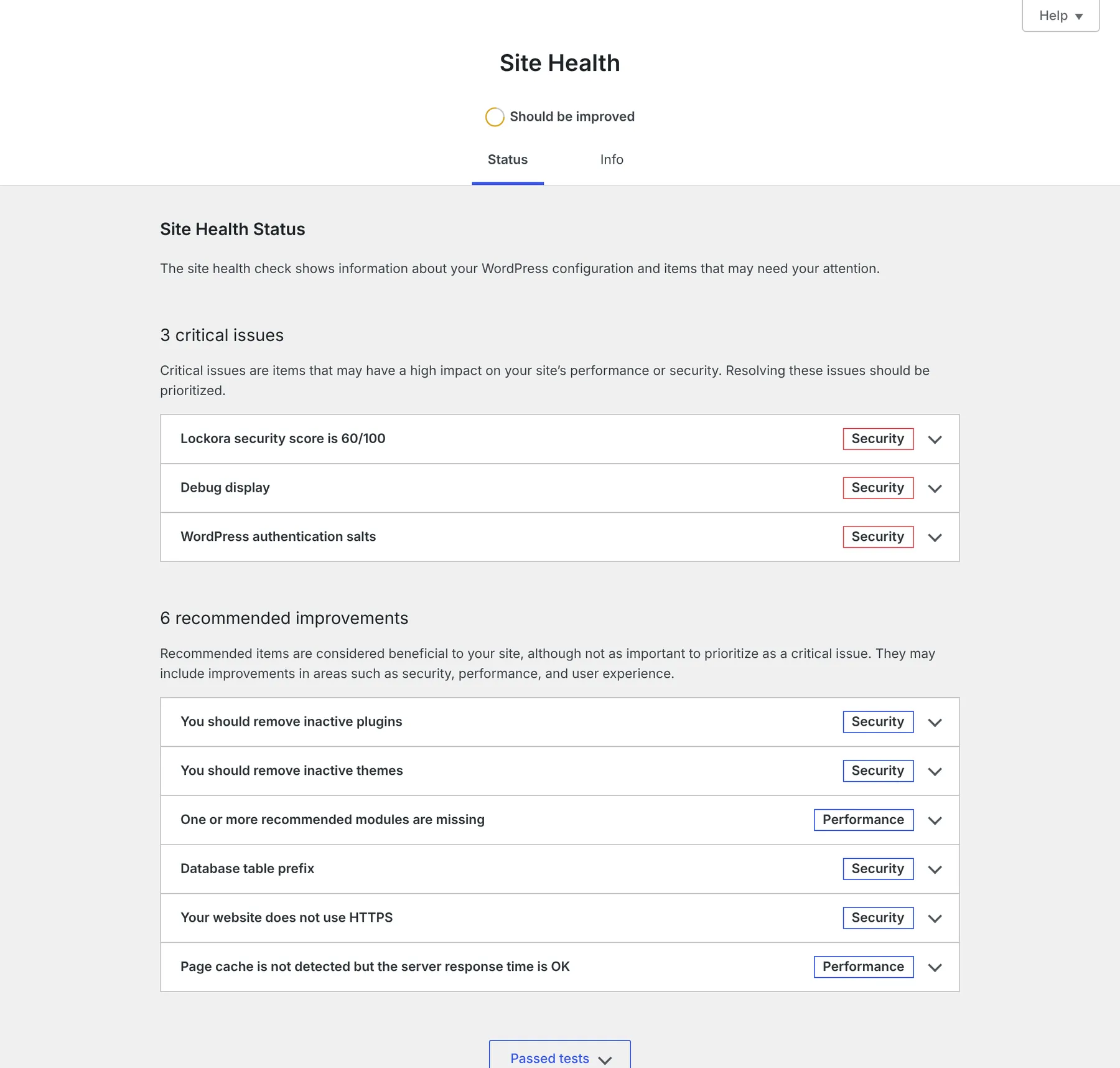
With Lockora Security Audit active, six extra tests appear in the same list, each with a Security badge and an Open Lockora Security Audit link:
| Test | Source | When it is critical |
|---|---|---|
| Lockora security score is N/100 | Summary of the last scan | Any failed check in the last scan (any warning makes it recommended) |
| Theme and plugin file editor | Live check | DISALLOW_FILE_EDIT is not true |
| Debug display | Live check | Errors can be displayed to visitors |
| WordPress authentication salts | Live check | Any key or salt missing or a placeholder |
| Database table prefix | Live check | Never; the default wp_ prefix is a recommendation |
| File modifications and automatic updates | Live check | Security updates blocked |
The five configuration tests run fresh every time Site Health loads. A failed medium- or high-severity check is shown as critical, a failed low-severity check or a warning as recommended. The score test reflects the most recent scan; if none has run yet, it shows No Lockora security scan has been run yet as a recommendation.
Expect a critical item at first. Because the score test turns critical on any failed check, most sites show it on the first scan. In v0.4.3 that includes the MU plugins directory check, which fails when wp-content/mu-plugins does not exist. Open the plugin, fix what matters, and re-scan; the Site Health item updates with the next scan.
A practical routine
Clear core’s critical issues first
Updates, PHP version, HTTPS. They are quick and they remove the most common mass-exploit paths.
Run a Lockora scan
Tools → Lockora Security Audit → Run Scan, or
wp lockora scan. Step by step.Fix the failures, highest severity first
Salts, PHP in uploads and a public
debug.logbefore table prefixes and headers.Re-scan and check Site Health again
The score test turns recommended once no check fails, and the scan comparison in the plugin shows what you resolved.
For a complete manual pass, use the WordPress security checklist.
Common questions
Is WordPress Site Health a security scanner?
No. It checks whether WordPress can update itself and run well, and a handful of security basics. It does not inspect files, secrets, accounts or what the site exposes publicly.
Why does Site Health say “Should be improved” when my site seems fine?
Usually inactive plugins or themes, a missing page cache, or a late scheduled event. Expand each item; the description explains it. With Lockora installed, a failed Lockora check also counts.
Can I hide Lockora’s items from Site Health?
They are registered through WordPress’s site_status_tests filter, so a developer can remove the lockora_* keys in a small snippet. Deactivating the plugin removes them too.